Creator guide · BharatChitra AI
How to Make a 3D Cartoon-Style Story Short
Choose the 3D cartoon illustration style in BharatChitra AI. Describe each character’s silhouette, clothing and expression, then approve the still images scene by scene. Add narration and captions before exporting the illustrated story as a vertical MP4.
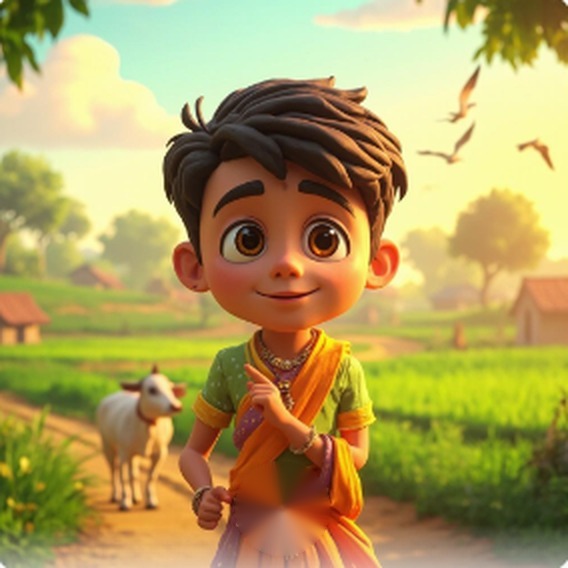
Try a story built around reactions
A child finds a paper kite caught on a fence, then recognizes the neighbor’s name on it. Use a close shot for the surprise, a wider shot to explain where the kite is stuck, and a two-shot when the child returns it.
Keep the cartoon character consistent
Reuse distinctive visual details across prompts, such as a yellow raincoat and round glasses. Check hair, clothing and proportions before approving a scene. Leave room in the frame for captions.
Preview how the scenes play together
Compare the child’s expression before and after finding the name. Use camera movement across the still illustrations to direct attention toward the detail that changes the story.
More creator guides
- How to Make an AI Story Video for YouTube Shorts
- Telugu AI Story Video Maker: From Idea to Narrated Short
- Hindi AI Story Video Maker: Script, Voice and Captions
- Telugu Story Short Example: The Farmer’s Real Gold
- BharatChitra AI, Invideo and Runway Compared for Story Shorts
- How to Make an Indian Folktale Short with AI
- How to Make a 3D Cartoon-Style Story Short
- How to Make a Cinematic Illustrated Story Short
- How to Record Your Own Story Narration and Export Captions
- How to Schedule a YouTube Short with BharatChitra Pro
- తెలుగులో కథా వీడియో ఎలా తయారు చేయాలి?
- हिंदी में कहानी का छोटा वीडियो कैसे बनाएँ?